Per-page instructions
Teach the bot to behave differently in different sections of your site, or on different sites: how URL matching works, sample rules and a separate model per section.
The main instruction applies across your whole site. But in different sections the bot often needs to act differently: on the corporate page, collect the request and call a manager; on the delivery page, talk only about delivery; on your second site, speak for a different brand. That's what per-page instructions are for: add-ons that switch on only when the visitor is on the right page.
Step 1. Find the rules card
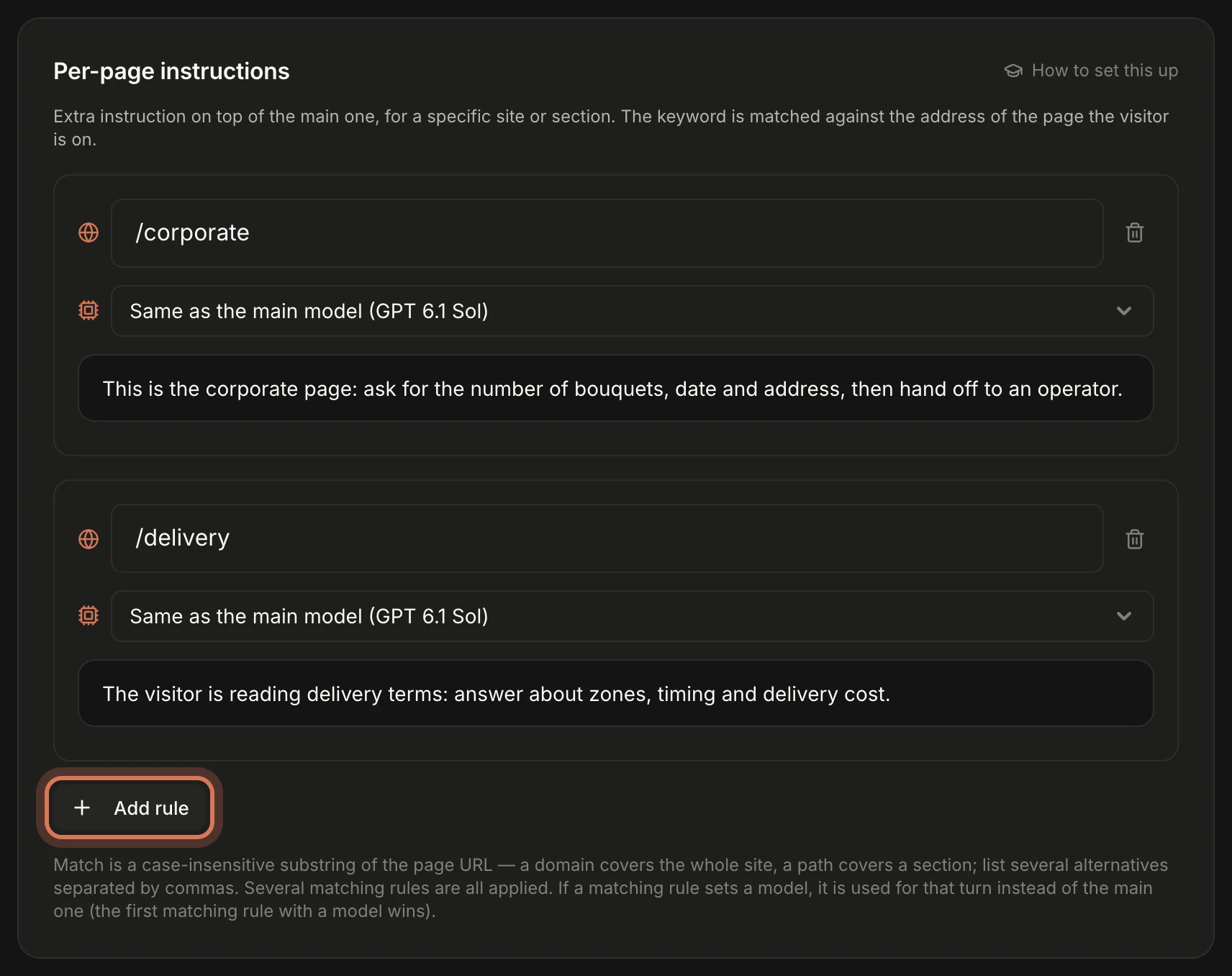
On the Assistant page scroll down to Per-page instructions. Each rule sits in its own frame, with the Add rule button underneath. You can have up to 20 rules.
Step 2. Fill in a rule
Click Add rule. A rule has three fields:
- Address (globe icon) — the piece of the page address that must match, e.g.
/pricingorshop.example.com. - Model (chip icon) — Same as the main model by default. You can pick another — see step 5.
- Instruction text — what the bot should do on those pages.
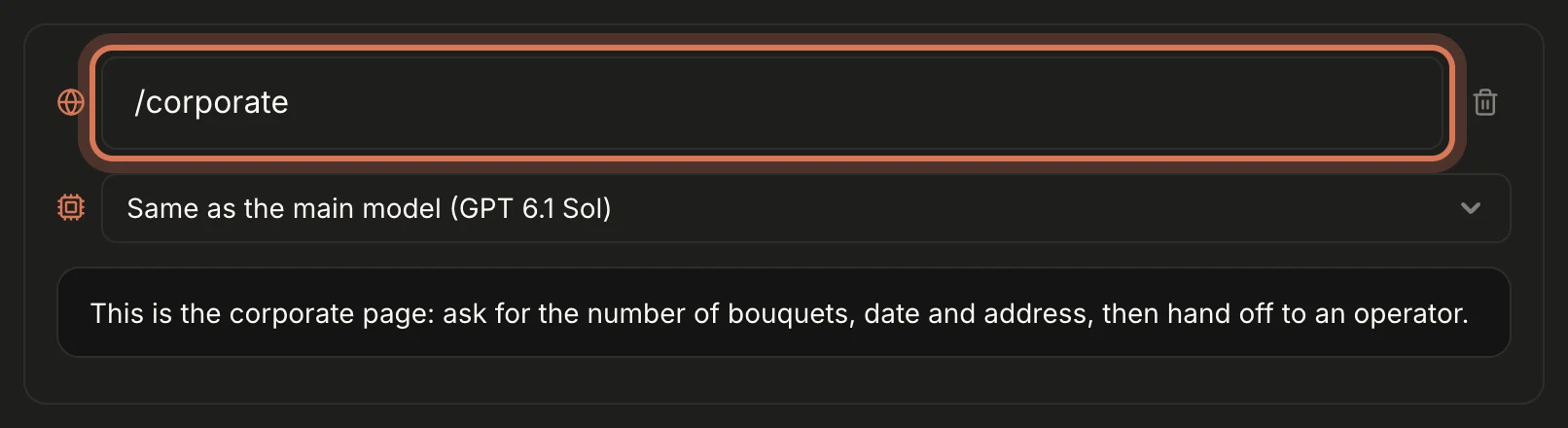
A rule needs an address plus text, a model, or both. A model-only rule with no text is handy for, say, a stronger model on /checkout. A rule with no address, or with neither text nor model, isn't saved.Step 3. Understand how the address matches
This is the key thing to know about rules:
- Before every answer, ChatDeck takes the full address of the page the visitor is on right now — e.g.
https://shop.example.com/catalog/roses?utm_source=google— and checks the rules. - A rule fires if its text appears anywhere in that address. Upper and lower case don't matter.
- List alternatives separated by commas — any one match is enough:
/pricing, /plans. - If the visitor moves to another page, the next answer follows the new page's rules. The conversation itself carries on.
Examples:
/pricing— the pricing page:example.com/pricing,example.com/en/pricing,example.com/pricing/team. But also/pricing-old— keep that in mind.shop.example.com— the whole shop subdomain, any page on it./blog/— blog posts only. Without the trailing slash,/blogalso matches/blogger./checkout, /cart— basket and checkout in one rule.utm_source=google— the page a visitor landed on from an ad with that tag (while they're on it)./— don't: every address contains a slash, so the rule fires everywhere. Put general guidance in the main instruction.
The longer and more specific the piece of address, the fewer accidental matches. To see which page a visitor is on, open the conversation in the Inbox — the details panel has a Current page line.
Step 4. When several rules match
- The text of every matching rule is added to the main instruction, in the order the rules appear in the list.
- So rules shouldn't contradict each other or the main instruction. Only write what's different on those pages.
- The bot already receives the current page address automatically. A rule is for giving it specific directions on those pages: what to do, what to focus on, where to lead the visitor.
Step 5. A separate model for a section
If a matching rule has a model selected, that model answers on those pages instead of the main one. If several such rules match, the first one in the list wins.
Typical uses:
- A stronger model where mistakes are costly. Corporate orders, checkout, a complex B2B section.
- A cheaper model where questions are simple. Blog, help centre, contact page.
More in Choose a model.
Rule ideas to copy
- `/corporate` — "This is the corporate page. Ask for the number of items, date, delivery address and invoicing contact, then hand off to an operator."
- `/delivery` — "The visitor is reading delivery terms. Answer about zones, timing and cost; if they ask about a specific order, hand off to an operator."
- `/cart, /checkout` — "The visitor is checking out. Help them finish: payment methods, promo codes, timing. Don't take them away from this page."
- `/de/` — "This is the German version of the site. Reply in German and quote prices in euros."
- `second-brand.com` — "On this site you are the assistant for '…'. Don't mention our other shops." (Handy when one workspace serves several sites.)
FAQ
My rule doesn't fire. Open the page, copy the address from the browser bar and check the rule's text really is in it. A common slip is a typo, or a path that differs between language versions of the site.
Does it work on single-page apps (SPA)? Yes: the widget reports the new address on every in-app navigation.
Next: what the assistant can do — hand-offs, closing chats and opening pages.
Still have questions? Write to support@gptunnel.ru — we’ll help you get set up.