Choose a model
Which AI model to give your assistant, what makes up the price of an answer, and when a cheap model is all you need.
The model is your assistant's "brain". It decides both how good the answers are and what each message costs. The good news: you can switch models at any time with one click — nothing needs retraining, and the new model answers from the very next message.
Step 1. Open the model list
On the Assistant page find the Model and key card and open the Model dropdown.
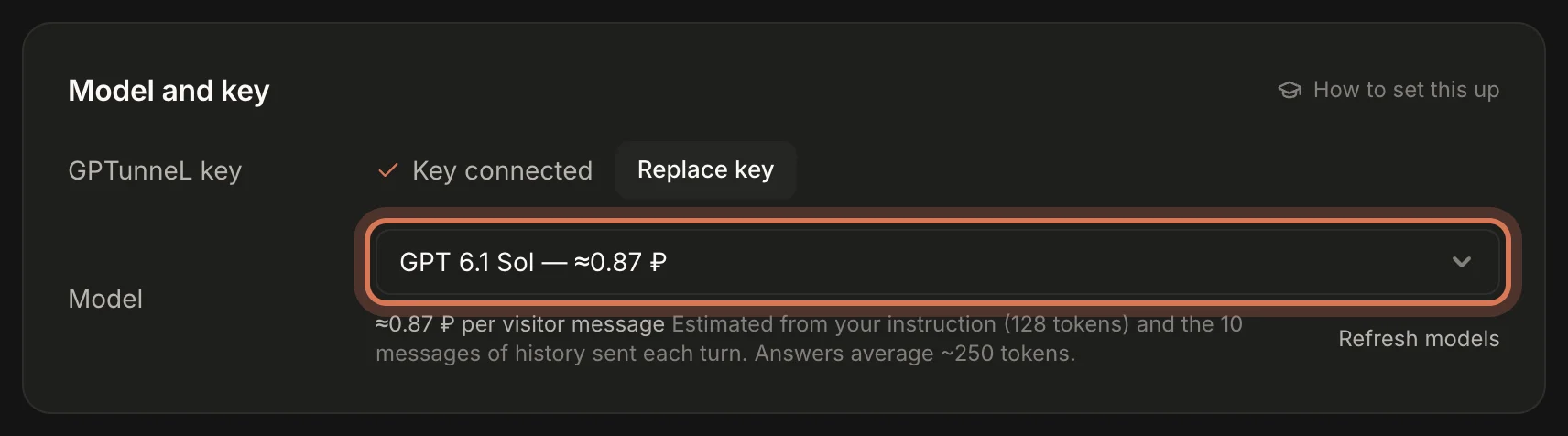
Models are grouped by maker: OpenAI, Anthropic, Google, DeepSeek, Qwen, Kimi, Z.ai (GLM), Xiaomi MiMo, GigaChat. Within a group the stronger, pricier models are on top and the fast, cheap ones below. Each model shows a rough price per answer, e.g. "GPT 6.1 Sol — ≈0.87 ₽".
The list keeps itself current: each model line shows only its newest release. If a new model just came out, click Refresh models under the field.
Step 2. Understand what drives the price
Under the list you'll see "≈… ₽ per visitor message" — the estimated cost of one visitor message (not the whole conversation) on the selected model. Prices are in roubles because GPTunneL bills in roubles.
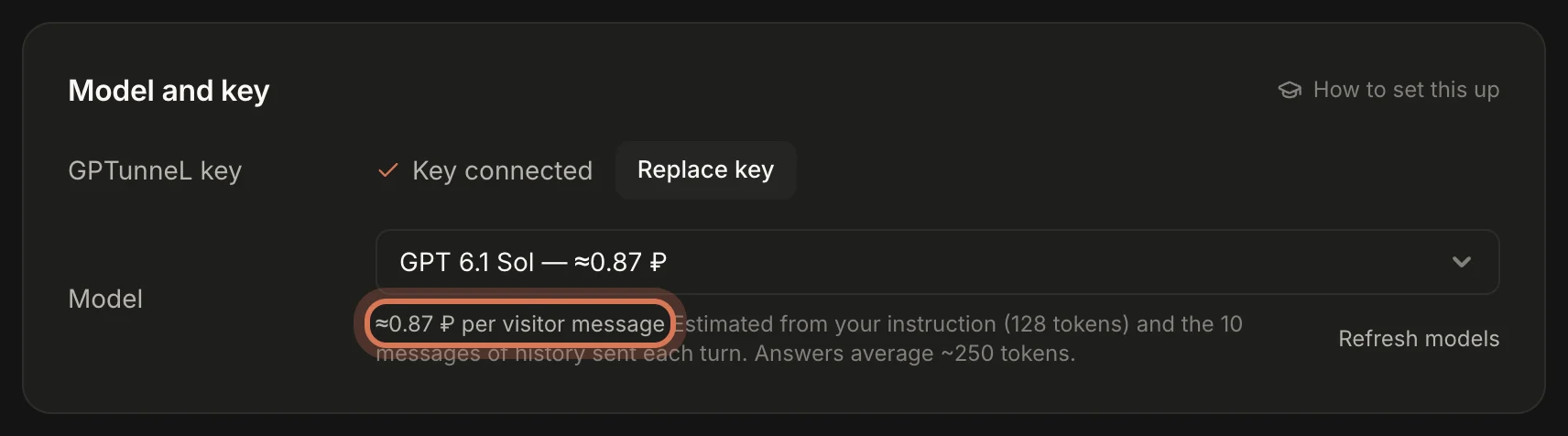
Why is it cheap or expensive? A model has no memory of its own: for every visitor message ChatDeck sends it the whole instruction, the latest messages of the conversation and the tool descriptions again. So five things drive the price:
- The model itself. The cheapest and the priciest differ by up to a hundred times.
- Instruction length. It's sent with every message. A 3,000-character instruction is roughly 750–1,000 tokens in every request. The hint under the list shows how many tokens your instruction is right now.
- History in context — how many recent messages go along with the instruction (step 4).
- Answer length. An answer averages ~250 tokens, and output tokens cost more than input on most models. Asking for short answers saves money and visitors like it better.
- Number of messages. Every visitor message is a separate request. Occasionally there's one more: when the bot opens a page for the visitor, or asks "anything else?" after a pause.
To estimate a monthly budget: chats per month × visitor messages per chat × price per message. For example, 600 chats of 4 messages on a 0.87 ₽ model is about 2,100 ₽ a month; on a 0.04 ₽ model it's under 100 ₽.
The figures are estimates, not a bill. Actual charges are in your GPTunneL account.
Step 3. Match the model to the job
Roughly, the models fall into four price tiers (prices are for a short instruction — yours will differ):
- Economy — a few kopecks per answer. GPT Luna, Claude Haiku, Qwen Flash, GLM Flash, MiMo Flash. Good for frequent simple questions: opening hours, delivery, "where's my order", prices that are in the instruction.
- Budget — 10–50 kopecks. DeepSeek, Gemini Flash, MiMo Pro, GigaChat Lite, GLM. A solid balance for shops with a clear catalogue.
- Standard — about a rouble. GPT 6.1 Sol (the default), Claude Sonnet, Qwen Max, Gemini Pro/Argon, Kimi. They follow a long instruction reliably, sell politely and call an operator at the right moment.
- Premium — 2–4 ₽ and up. GPT Astra, Claude Opus and Fable, GigaChat Max. Rarely needed: complex consulting (B2B, technical products, healthcare) or very long instructions with lots of conditions.
Signs a cheap model is enough:
- your instruction is short and mostly facts;
- questions repeat, and the hard cases go to people anyway;
- answers don't need calculations or multi-step reasoning.
Signs you need a stronger model:
- the bot mixes up facts or invents prices that aren't in the instruction;
- it doesn't hand off when it should — or hands off too often;
- it opens the wrong pages or ignores rules from the instruction;
- it sounds stiff where it should be selling.
A strategy that works: start on a standard model (GPT 6.1 Sol is a sensible default), get the answers right, then try one tier down on the same questions. If quality holds, keep the cheaper one.
How to compare models fairly
- In the Inbox, on the Closed tab, write down 10–15 real visitor questions — easy and hard, including "can I talk to a person".
- Pick a model, open your site in a private window and ask those questions.
- Repeat with another model. Compare factual accuracy, tone, answer length, and whether the bot calls an operator when it should.
- A week or two later check Analytics: Bot satisfaction and Resolved by bot show whether the model is coping.
Step 4. Set "History in context"
The Instruction card has a History in context field — 2 to 50, default 10. It's how many recent messages of the conversation (visitor, bot and operators) the model sees with every answer.
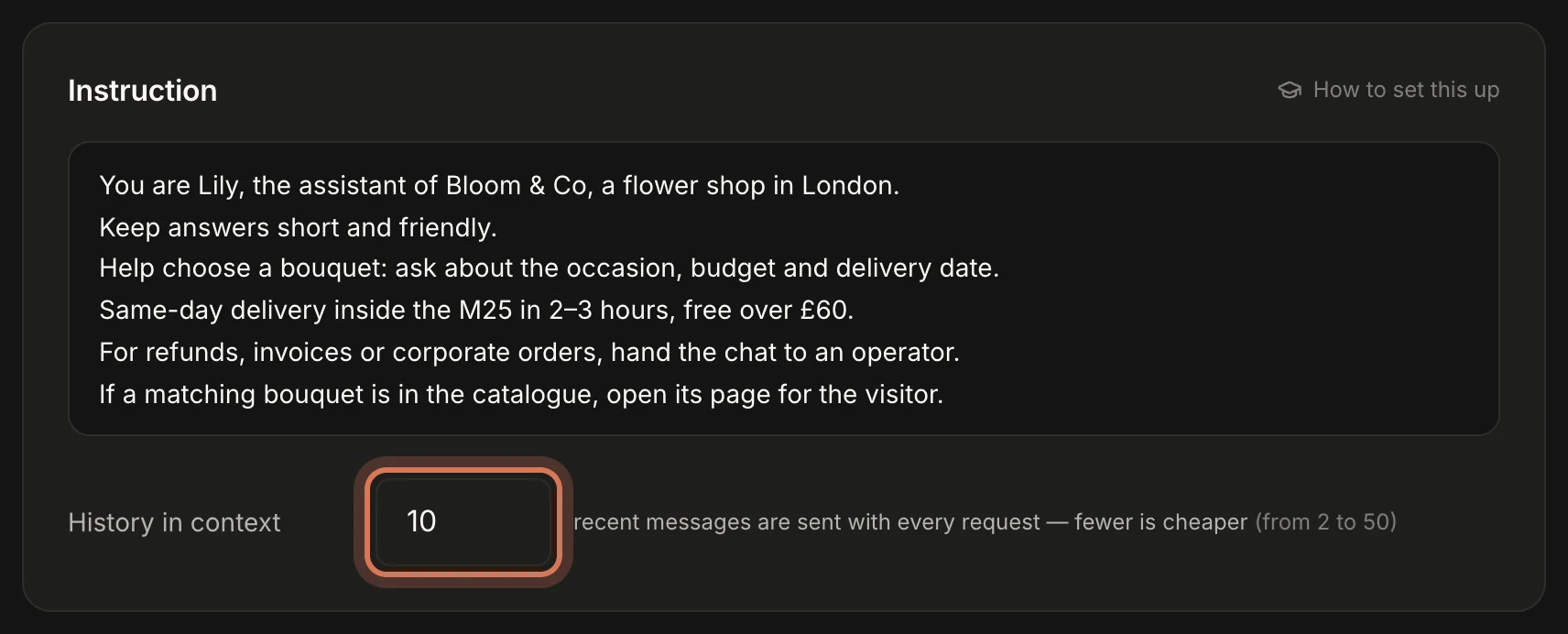
- 6–10 — for short Q&A. Cheaper.
- 15–20 — for long consultations where the start matters: budget, size, date.
- Too few and the bot "forgets" what was agreed five messages ago and asks again.
Step 5. Other model (optional)
At the very bottom of the list is Other model…. It reveals a field where you can type the ID of any model from the GPTunneL catalogue — a specialised one, or an older version that isn't on the short list.
ChatDeck shows no price estimate for such a model. Test it straight away: if the ID has a typo, the bot can't answer and every new chat goes to your operators.
Step 6. A different model for specific pages
In the Per-page instructions card, every rule has its own model field. It defaults to Same as the main model, but you can pick another one. You can leave the rule's text empty — then the rule only switches the model on those pages.
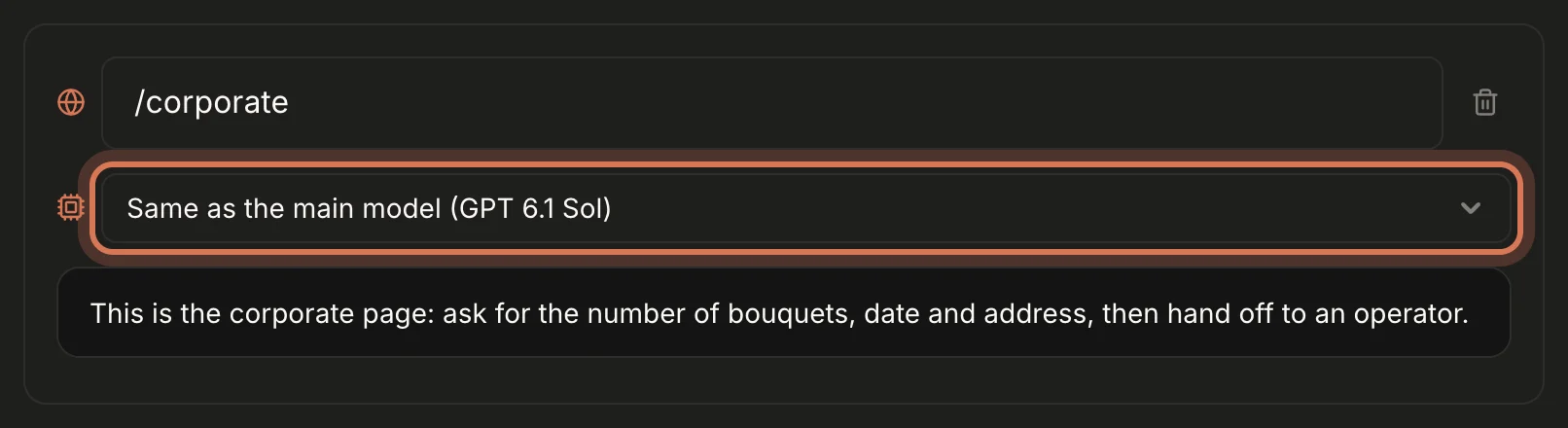
That's how you save without losing quality:
- a budget model answers across the site, and a strong one takes over on the corporate orders page (
/corporate) or at checkout; - or the other way round: an economy model on blog pages where people mostly chat.
More on rules in Per-page instructions.
FAQ
Which model handles my language best? Every model on the list writes fluent English and Russian. Differences show up with slang and tricky wording — test on your own real questions.
What if my GPTunneL balance runs out? The bot can't answer, and ChatDeck hands the chat to your operators automatically. Nobody is left hanging, but keep the balance topped up.
Next: write the instruction — it affects answer quality more than the choice of model.
Still have questions? Write to support@gptunnel.ru — we’ll help you get set up.